 Help Center
The Profile page in the GoPeople Runner App is your central control hub. From updating personal information to managing earnings, training, preferences, and compliance, this section allows you to stay in full control of your Runner profile.


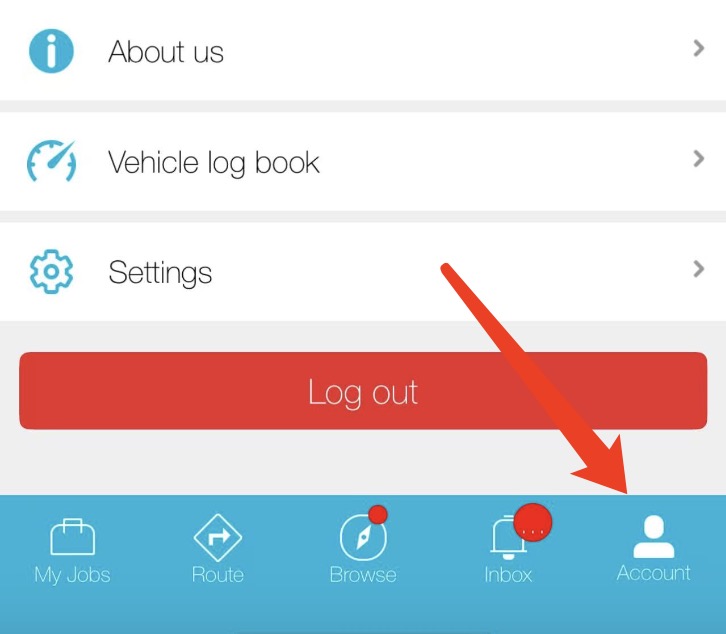
Here’s a detailed breakdown of each feature available in the Account section:
1. 👤 Edit Profile
Update and personalise your profile:
- Change profile photo
-
Private Profile - Full name and Home suburb
-
Public Profile – Preferred name and Bio
2. 🆔 View ID
Add your ID here and show your GoPeople ID when required.
3. 💰 Balance
Here, you can view your Transactions, Invoices, Withdrawals, Bank Details, Bond Deposits, and Bond Withdrawals.
4. 📦 Total jobs and Bundle Runs
Total number of successful deliveries you’ve completed via GoPeople
5. 🚗 Vehicle Info
Add or update your:
-
Vehicle type and cargo capacity
-
Vehicle photo
-
Insurance details – insurer, policy number, expiry date, and document upload
🚨 Third-party insurance is mandatory.
6. 📸 Equipment
Upload proof of required delivery equipment such as:
-
Hi-vis vest
-
Milk crates or buckets
-
Steel cap boots
-
Trolley
7. 🛡️ Compliance
Add your certifications and compliancy checks, such as:
-
Police Check
-
RSA
-
ABN
- Driver's License
-
Public Liability Insurance
- Personal Accident Insurance
8. 🧑🤝🧑 GoPeople Mates
Join or manage your Mates group to share or receive job transfers.
9. 💲 Earnings & Payments
View:
-
Transactions
-
Invoices
-
Withdraw
-
Bank Details
-
Bond Deposit
-
Bond Withdrawal
📘 How to Withdraw Money from Your GoPeople Account
10. 📚 Training
Mandatory and optional quizzes to help you become delivery-ready.
Required:
-
✅ GoPeople Onboarding Quiz – Must score 90% to pass
Optional (but beneficial):
-
Flower Delivery
-
Cake Delivery
-
UPS Sydney
-
GoEXPRESS
-
Kmart
📘 Guide: How to Pass Your GoPeople Quizzes
11. 👥 Invite Friends
Share your referral code and earn rewards when your friends complete jobs.
12. 📒 Logbook
Review and export your delivery logs for tax or record-keeping purposes.
13. 📍 Preferred Areas
Set your preferred delivery suburbs so we can match you with jobs nearby.
14. 📚 About, Legal, Contact
Here, you can view About GoPeople, Knowledge base, General terms, Runner service terms, On-demand job terms, Privacy Policy, Leave Feedback and Contact.
Send suggestions or report issues directly from the app — we value your input.
15. ⚙️ Settings
📞 Phone Number
Tap your phone number to enter the Change Mobile Number page. From there, you can update your registered mobile number at any time.
Tap your email address to enter the Change Email page. You can update your registered email address directly from there.
🔐 Password
Securely update your login password.
🔁 City
Update your default city to get jobs in your current location.
🔠 Font size
You can change your font size to Standard, Large and X Large.
🗑 Delete My Account
Permanently delete your account.
⚠️ This is irreversible and removes your history and job eligibility.
By using the Profile page to keep your information, documents, and settings up to date, you’ll ensure a smooth delivery experience and increase your chances of getting more jobs.